Cheat Sheet
Your Workflow
How you work with Claude. Step by step. So you can always look up what runs when.
Vision
You don't leave the Claude Code desktop app all day. All tools are connected. The personal assistant lives on top, the specialist sits below. No more switching between web chat, cowork, and code editor.
Mental Model: chat above, specialist below
Clean separation. No grey zone.
Desktop chat (top)
Personal Assistant
- Random questions, quick lookups
- Instructions across the board that a real assistant would handle
- Everything you'd otherwise open a new chat for
- No workflow changes, no adjustments
Terminal (bottom)
Specialist
- Run a known workflow → cr + skill
- Deep research → cr + /deep-research
- Bigger workflow change or fix → cr + describe changes
- Build a new project → 4-step flow
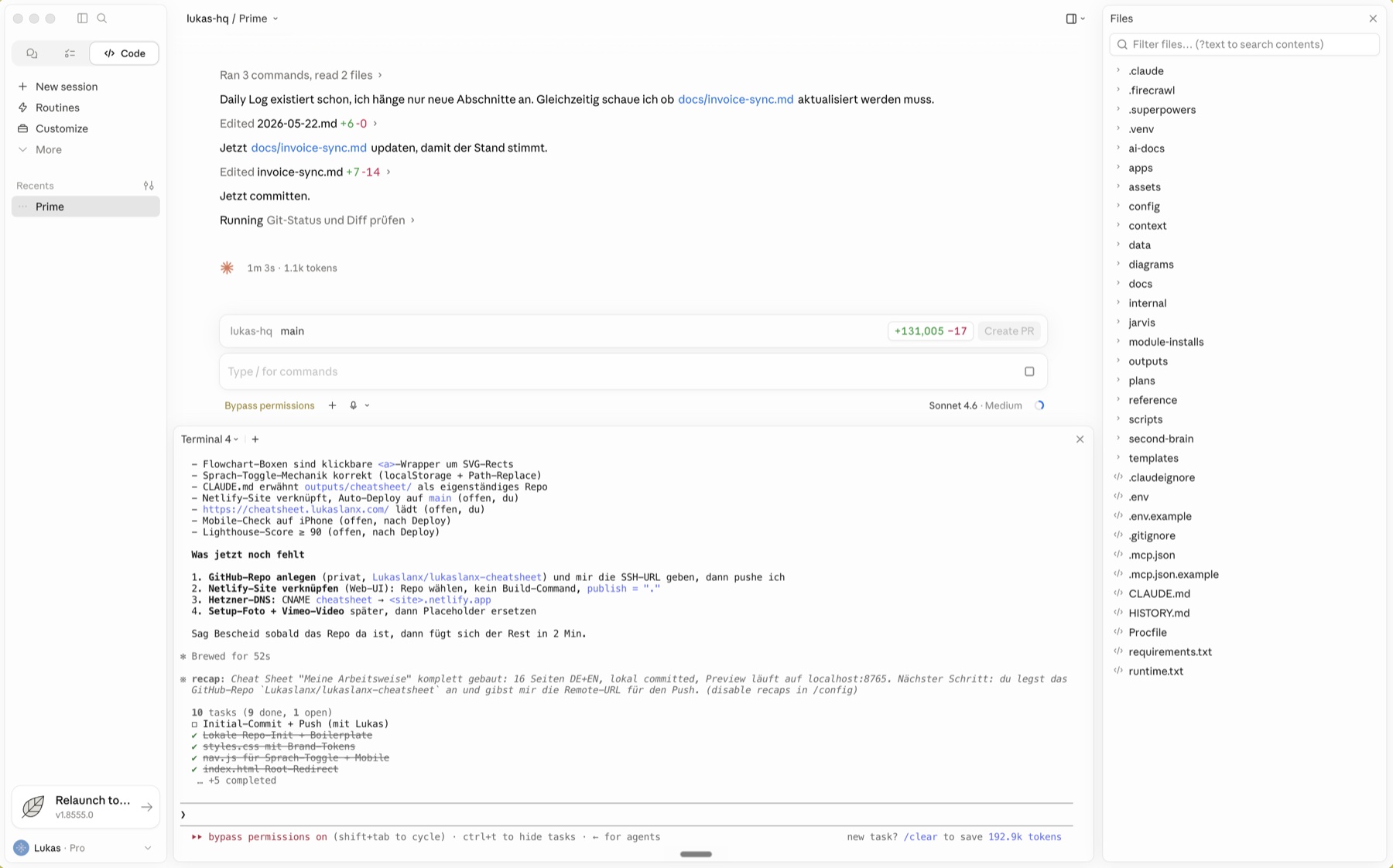
Chat top
Terminal bottom
Files right
My setup on Mac: one window, three areas.
The workflow at a glance
Click a box to jump to its detail page.
What do you want to do right now?
What do you want to do right now?
Something an assistant would handle
Quick question, random instruction, "look this up for me"?
Desktop chat at the top. Personal assistant, open all day. No workflow changes.
Something you'd call a specialist for
Real operation on the workspace?
Run workflow cr + skill
Deep research /deep-research
Bigger change or fix cr + describe
Build new project 4-step flow
Quick reference
cr
Starts Claude Code in the terminal with workspace context. The default entry for any specialist task.
/prime
Loads full workspace context into the desktop chat (ich.md, business.md, todos.md, key-metrics.md).
/shutdown
Clean session end. Git push, HISTORY update, memory care. After every terminal session.